
AI has finally moved beyond the chat window. Anthropic recently released the Claude Chrome Extension (Claude for Chrome)—a browser extension that doesn't just answer questions, but actually sees what you're looking at and can take actions on your behalf. As someone who manages WordPress sites for clients, I wanted to see how this could fit into my workflow. Turns out, it's remarkably useful for conducting comprehensive site audits.
Let me show you what happened when I pointed Claude at a WordPress dashboard and asked it to conduct a full site audit.
What is Claude for Chrome?
Claude for Chrome is Anthropic's official browser extension that brings their AI assistant directly into your browser as a side panel. Unlike other AI browser tools that simply summarize text on a page, Claude can actually see, read, and interact with web pages in real-time. It's what Anthropic calls "agentic AI"—AI that does rather than just says.
The extension works alongside you as you browse, staying open in a persistent sidebar. You grant it permission to specific sites, and then it can navigate pages, fill forms, extract data, click buttons, and run multi-step workflows—all based on natural language instructions.
Originally launched as a limited research preview for Claude Max subscribers ($100/month), Anthropic recently expanded access to all paid subscribers including Pro ($20/month), Team, and Enterprise plans. It also works on Chromium-based browsers like Edge, Brave, and Opera.
Running a WordPress Site Audit with Claude
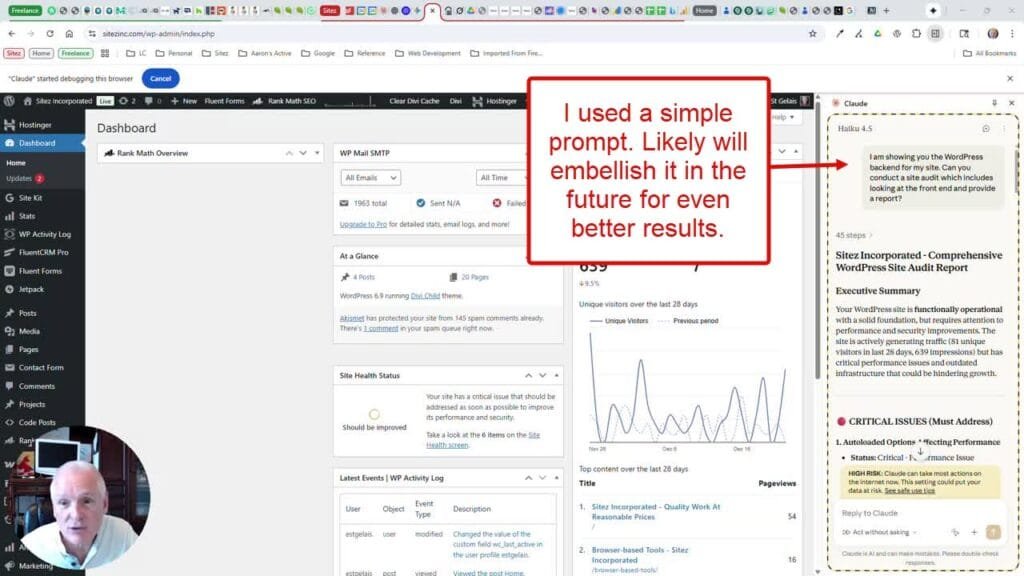
I gave Claude access to a WordPress admin dashboard and asked a simple question: "Can you conduct a site audit which includes looking at the front end and provide a report?" What followed was impressive.
Claude immediately got to work, navigating through the WordPress backend, examining the Site Kit dashboard, reviewing Site Health status, checking plugin configurations, and even visiting the front end to analyze performance and content structure. The entire process took about 45 steps—actions that would normally require me to manually check a dozen different screens.
What Claude Found
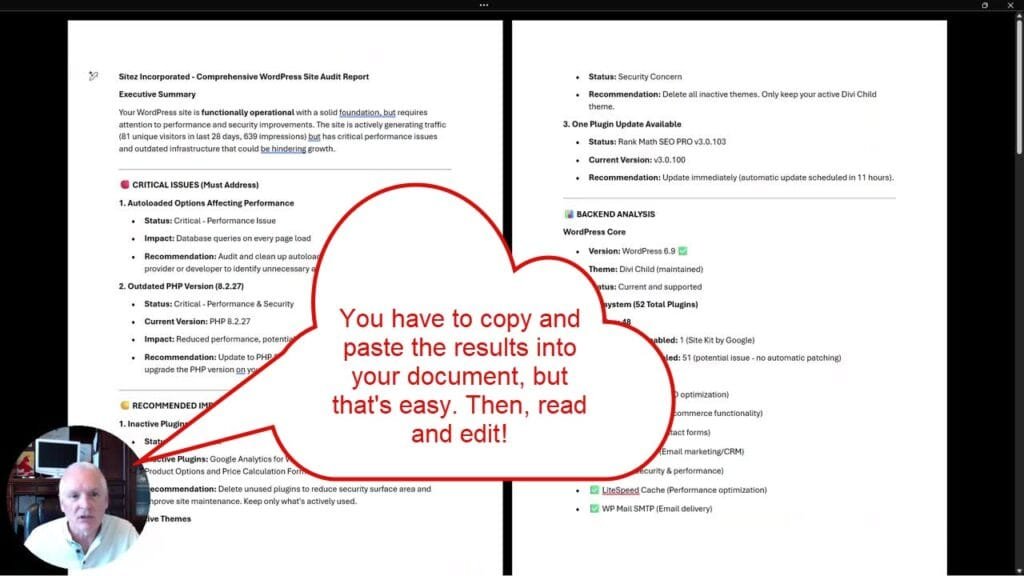
The resulting audit report was comprehensive. Claude identified critical issues that needed immediate attention: autoloaded options affecting performance, an outdated PHP version (8.2.27) creating both performance and security concerns. It also flagged recommended improvements like inactive plugins creating unnecessary security surface area and inactive themes that should be removed.
The backend analysis included WordPress core version verification, theme status (identifying both the parent Divi theme and child theme), and a complete plugin ecosystem review—52 total plugins with 48 active, noting which had auto-updates enabled versus disabled. Claude identified key active plugins by category: Rank Math for SEO, WooCommerce for eCommerce, Fluent Forms for contact forms, FluentCRM for email marketing, Jetpack for security, LiteSpeed Cache for performance optimization, WP Mail SMTP for email delivery, and Akismet for spam protection.
On the frontend, Claude analyzed homepage performance (noting a 1 minute 20 second load time as "very slow"), reviewed content structure, evaluated SEO setup including Google Analytics and Search Console integration, and assessed the overall user experience. It identified specific issues like limited blog content, duplicated testimonials, and navigation hierarchy that could be improved.
The Prioritized Action Plan
Perhaps most valuable was Claude's organized action plan, broken into immediate, short-term, medium-term, and long-term priorities. Immediate actions included updating Rank Math SEO, deleting inactive plugins, removing inactive themes, and upgrading PHP. Short-term recommendations covered enabling auto-updates, optimizing autoloaded options, and improving page load speed. Medium-term suggestions focused on expanding blog content, improving conversion rates, and reviewing testimonials.
Claude even provided specific metrics to track going forward: bounce rate, page load speed targets (under 3 seconds), organic traffic growth, lead conversion improvements, and time on site.
Why This Changes WordPress Site Management
What would normally take me 30-45 minutes of clicking through dashboards, copying data into a document, and organizing findings into a coherent report happened in a couple of minutes. And the output was professional-quality—the kind of deliverable you could hand directly to a client.
This isn't about replacing expertise. You still need to understand WordPress, know which recommendations matter for a specific client's situation, and make judgment calls about priorities. But Claude handles the tedious data gathering and initial organization, freeing you to focus on the strategic thinking and client communication.
For WordPress consultants managing multiple client sites, this kind of automated audit capability could significantly streamline recurring maintenance reviews. Instead of dreading the quarterly site checkups, you can run Claude through each site and spend your time on the recommendations rather than the reconnaissance.
A Few Other Thoughts
Claude for Chrome is still in beta, and Anthropic is upfront about the risks. The biggest concern is prompt injection—where malicious content on a webpage could potentially trick Claude into taking unintended actions. Anthropic has built defenses against this, reducing successful attacks from about 24% to 11% in their testing, but it's not perfect.
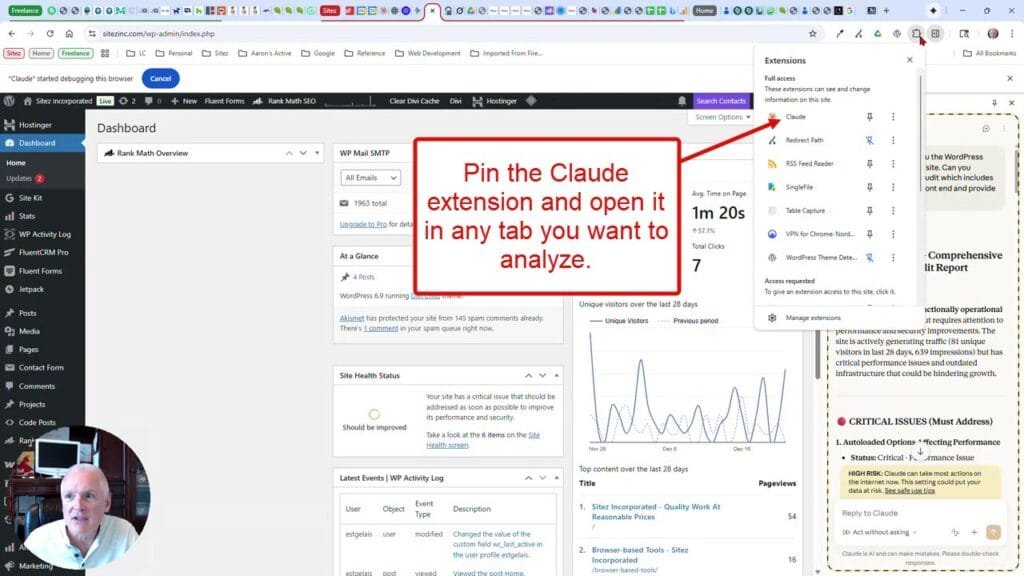
You’ll need a Claude paid plan (Pro, Max, Team, or Enterprise) to use the extension (which is available from the Chrome Web Store). Sign in with your Claude credentials, and grant permissions to the sites you want Claude to access.
My recommendation: start with trusted sites and low-stakes tasks. A WordPress admin dashboard you control is a perfect use case. Review what Claude does, especially the first few times. As you build confidence in how it behaves, you can expand to more complex workflows.
The browser is where we spend most of our workday, and having an AI assistant that can actually participate in that work—not just comment on it—is a meaningful step forward. For WordPress professionals, Claude for Chrome offers a glimpse of what site management might look like when AI handles the routine so you can focus on the results.


0 Comments